On-model product
photography with AI.
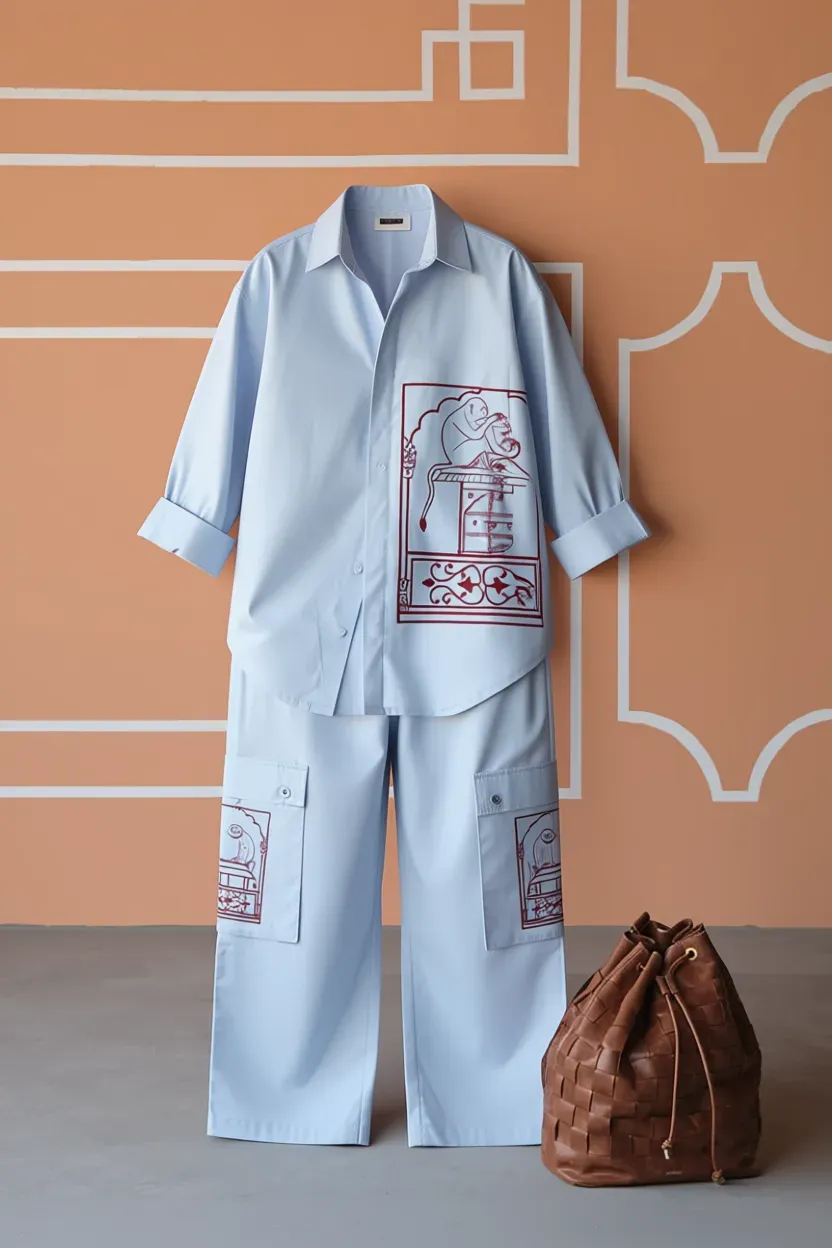
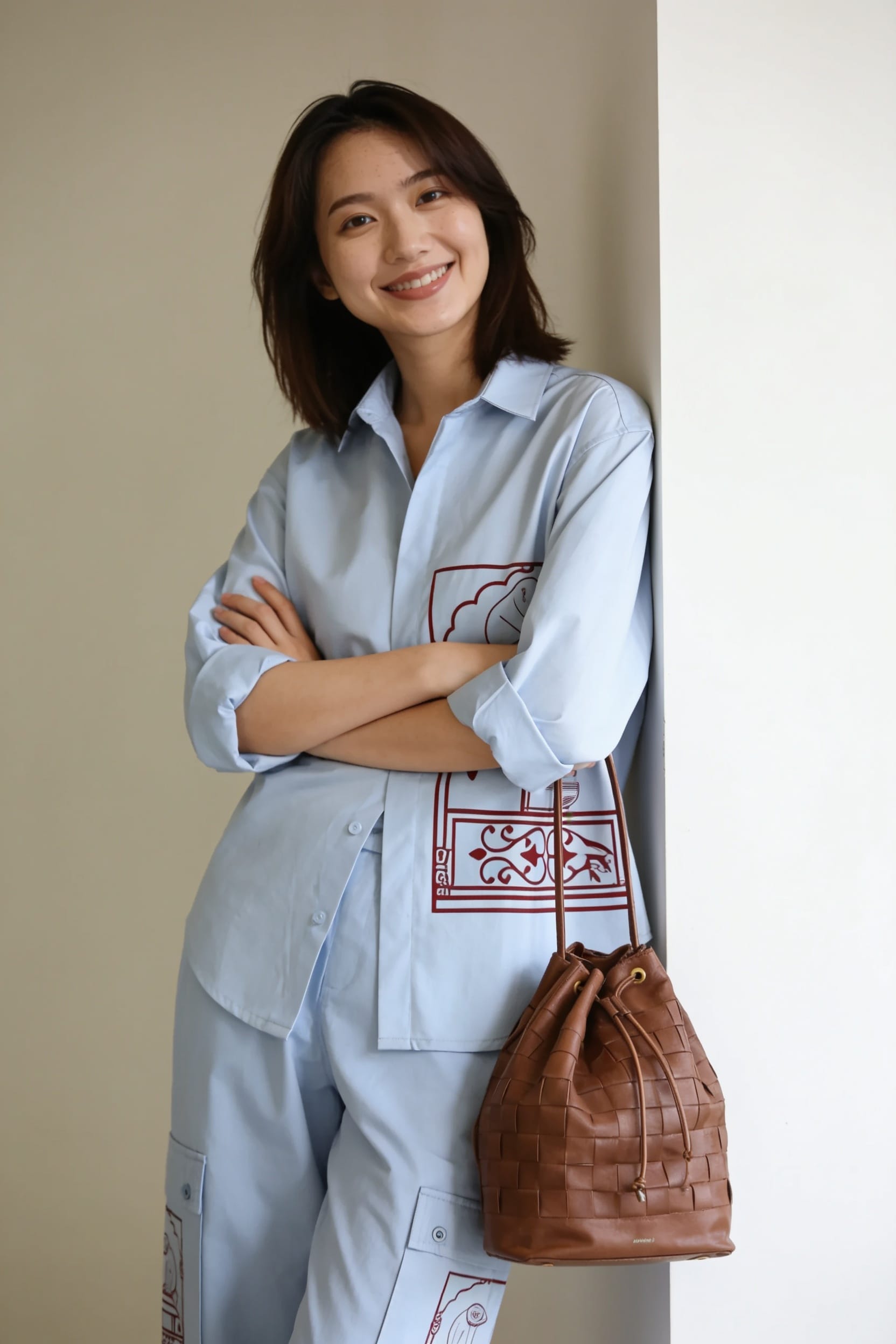
Show your garments on a model — without a model casting, a studio, or a shoot day. Upload your product, choose a model, and get on-model product shots ready for your PDP, catalog, and campaign.
For apparel brands, fashion retailers, and clothing e-commerce · Any garment category
Why on-model
Shoppers buy clothing they can see being worn.
On-model shots answer the questions that ghost mannequin and flat lay can't: How does this drape? How does the length sit? How does it look in motion? For most clothing categories — dresses, tops, outerwear, trousers — on-model is the highest-converting product image format.
Shows fit and drape
A garment on a model shows how it actually fits — how the fabric moves, where the hem sits, how the silhouette looks on a body. Ghost mannequin can't communicate this.
Required by major marketplaces
ASOS, Zalando, and most fashion marketplaces require or strongly recommend on-model images for clothing categories. Listings with on-model shots rank higher and convert better.
Reduces returns
Shoppers who can see how a garment fits on a model have more accurate expectations. Accurate product images reduce return rates — one of the highest costs in fashion e-commerce.
How it works
No casting. No studio. No shoot day.
Upload your garment
Any photo of the garment — on a hanger, flat, on a mannequin. The AI understands the garment's shape, texture, and construction.
Choose model and setting
Select from diverse AI models across body types, skin tones, and heights. Choose studio or lifestyle background. The AI places the garment on the model with accurate fit.
Get PDP-ready shots
Multiple poses and angles. Clean studio background or styled setting. Output sized and compressed for your storefront, marketplace, or campaign.
FAQ
Common questions.
How is this different from the AI Fashion Lookbook?
The AI Fashion Lookbook is for consumers who want to try on clothes from a brand catalog to see how they'd look on themselves. On-model product photography is for apparel brands and retailers who want to show their own garments on a model for their store listings, catalog, and campaigns. Different audience, different use case.
What garment types work?
Tops, shirts, dresses, trousers, jeans, outerwear, jackets, knitwear, and most garment categories. Works best for garments with clear shape and structure. For very oversized or heavily draped garments, results may vary.
Can I choose diverse models?
Yes. The AI model library includes diverse body types, skin tones, heights, and ages. Representing your customer base accurately in your product imagery improves relevance and conversion.
Is this the same as ghost mannequin?
No. Ghost mannequin shows the garment floating in 3D form without a model or mannequin — it communicates shape and structure. On-model shows the garment being worn — it communicates fit, drape, and how it looks on a person. Most apparel catalogs use both.
Can I use this for a full catalog?
Yes. Process multiple garments in bulk. Consistent output format, model, and background settings across every SKU in your catalog.
On-model product shots,
without the shoot.
Upload your garment. Choose your model. Get PDP-ready on-model shots in minutes.
Create on-model shotsOne tool, endless uses
Everything you can do with Jity Photo Studio.
AI Photo Studio
Edit, enhance, and generate images with a full AI studio.
AI Fashion Lookbook
Try any outfit on your photo. Editorial results in seconds.
AI Background Remover
Remove, replace, or swap backgrounds — one click.
AI Product Photography
Studio-quality product shots without a studio.
Remove Object from Photo
Erase anything from any photo. Background fills itself in.
AI Real Estate Editor
Stage, relight, and polish property photos automatically.
AI Headshot Generator
Professional headshots from a selfie. No photographer.
Furnish My Room
See your empty room furnished before you buy a thing.
Embed AI Image Editor
Drop the full widget or go headless. AI editing in any app.
AI Image Workflow Builder
Build custom pipelines, agents, and views on the headless engine.
E-commerce Product Photos
Remove background, resize to spec, compress — ready for Shopify or Amazon.
Ghost Mannequin Photography
AI invisible mannequin effect. Clean hollow-form apparel shots for any storefront.
Flat Lay Photography
AI flat lay product shots on any surface. No camera or studio required.
Lifestyle Product Photography
Place your product in any real-world scene. No location shoot.
On-Model Product Photography
Show garments on a model — no casting, no studio, no shoot day.
AI Character Studio
Build consistent characters across expressions, poses, and outfits — tagged and persistent.
AI Product Listing Generator
Hero, lifestyle, on-model, and colorway images from one product photo.